
Scope guide · History & 3D
3D Scope
Rotate RGB, YCrCb, YHS, HSV, CIE XYZ and CIE LAB volumes to inspect component relationships from another perspective.
ProfessionalLearn & Reference / Scope library / 3D Scope
What shape does the color distribution make?
Add this view from Add scope > 3D Scope, then choose the input you want to inspect. Use the pane's i button for its in-app reading guide.
Read this example.
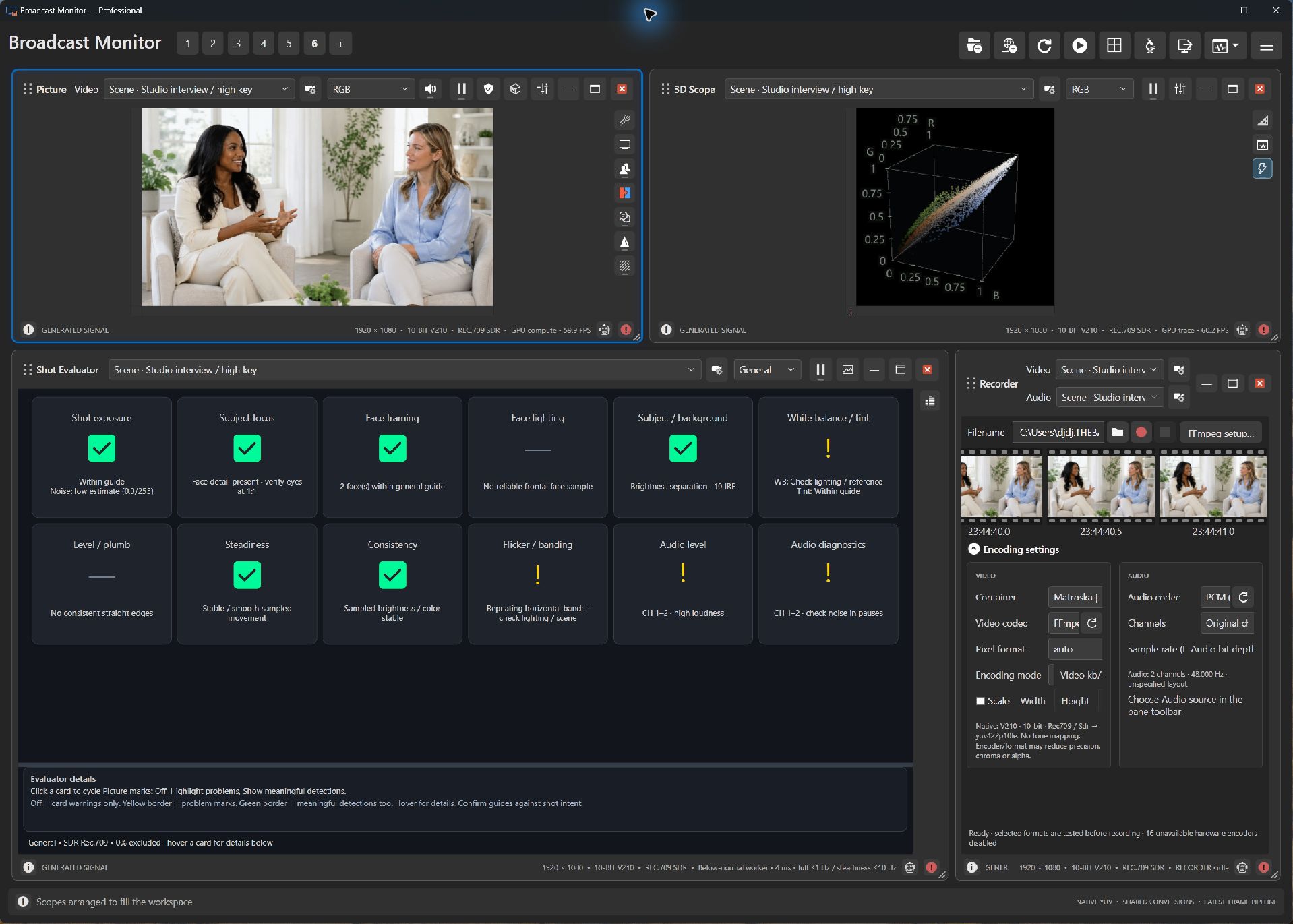
- The upper-right volume places samples by three RGB values.
- Rotate a live view to separate distributions that overlap from one angle.
- The neighboring Shot Evaluator organizes descriptive evidence from the same scene.
Try it yourself.
- Choose a studio, concert or numeric pattern.
- Compare RGB and HSV coordinate systems.
- Enable Color reference planes, then rotate to read the rear-wall slices.
Useful controls.
- Drag rotates, wheel zooms, double-click resets.
- HSV uses hue angle, saturation radius and maximum encoded RGB Value height.
- Optional Color reference planes save with the pane.
Encoded RGB, HSV and XYZ/LAB axes describe different quantities. Choose the coordinate system for the question.