
Scope guide · Color & matching
Channel vs Channel
Choose any two of 18 components to investigate saturation versus brightness, chroma versus lightness or channel balance.
ProfessionalLearn & Reference / Scope library / Channel vs Channel
How does one component change with another?
Add this view from Add scope > Channel vs Channel, then choose the input you want to inspect. Use the pane's i button for its in-app reading guide.
Read this example.
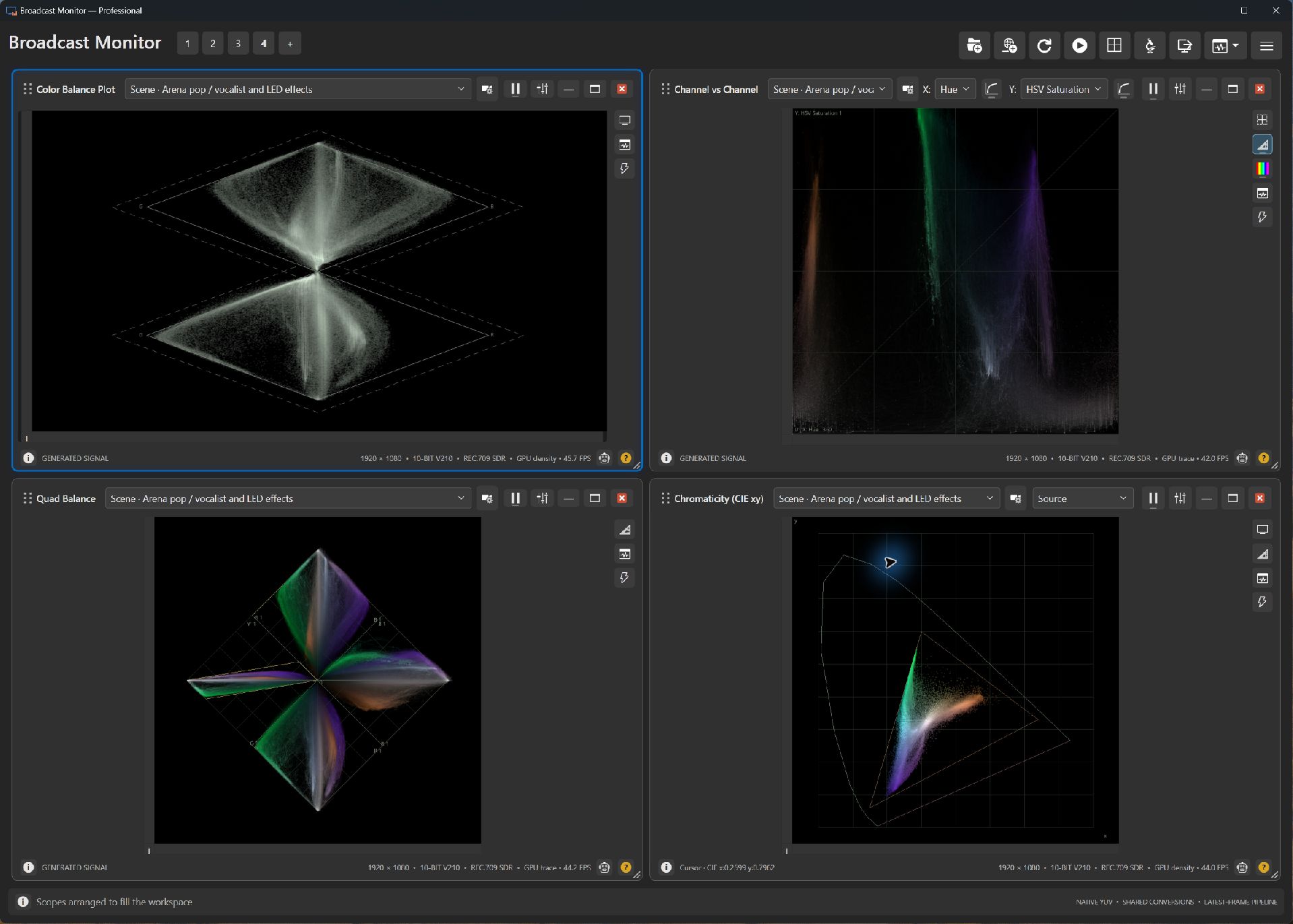
- Each sample pairs two measurements from one pixel. Read X and Y before interpreting the shape.
- The green and violet extensions identify saturated stage colors; near-neutral content gathers toward lower saturation.
- The lower-right CIE xy plot gives another coordinate view of the same scene.
Try it yourself.
- Choose the sunlit interior or a digital chip-chart sample.
- Try Chroma vs Lightness or HSV Saturation vs Value in Presets.
- Toggle axis logarithms independently and compare a selected region with the whole frame.
Useful controls.
- X and Y select linear and encoded components, hue, saturation, chroma or RGB-derived quantities.
- Presets retain independent axis-scaling choices.
- Hue background is available when either axis is Hue.
RGB Lightness is an encoded midpoint; Value is maximum RGB. Choose component definitions appropriate to the question.