
Scope guide · Production tools
Caption Data
Inspect supported CEA-608/708 payloads and derived local-transcription text beside the program picture.
ProfessionalLearn & Reference / Scope library / Caption Data
Are the expected caption words arriving?
Add this view from Add scope > Caption Data, then choose the input you want to inspect. Use the pane's i button for its in-app reading guide.
Read this example.
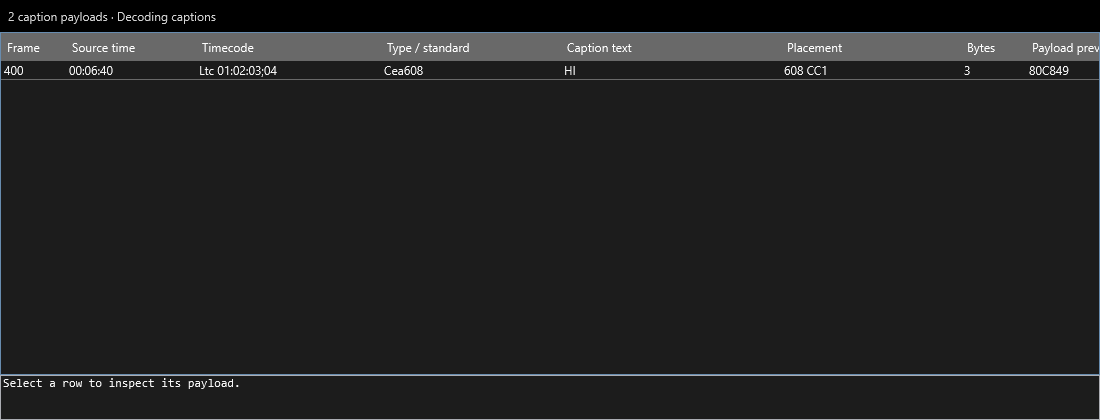
- Source time and timecode connect the row to the input.
- Type/standard and Placement identify CEA-608 and CC1.
- Caption text, byte count and payload preview provide readable text and underlying evidence.
Try it yourself.
- Select a source supplying supported captions.
- Choose a row to inspect its payload and compare intended text.
- Enable the Picture caption overlay, or configure Audio transcription for derived text.
Useful controls.
- Channel/service choices follow supplied caption data.
- Picture can overlay a selected channel/service as text.
- Local transcription exposes derived text and segment/token metadata after model setup.
The screenshot is a generated fixture. Treat embedded captions and local transcription as distinct text sources in a real program.